# General Scanners

### **General Scanners:**

<figure><img src="https://2455207419-files.gitbook.io/~/files/v0/b/gitbook-x-prod.appspot.com/o/spaces%2FnZwCwAN15BUJcXMA5avi%2Fuploads%2FsA3f1bwtTEI3acMSuF0n%2Fimage.png?alt=media&#x26;token=4857c56f-29bf-4e12-84f4-109c19b7db1a" alt=""><figcaption></figcaption></figure>

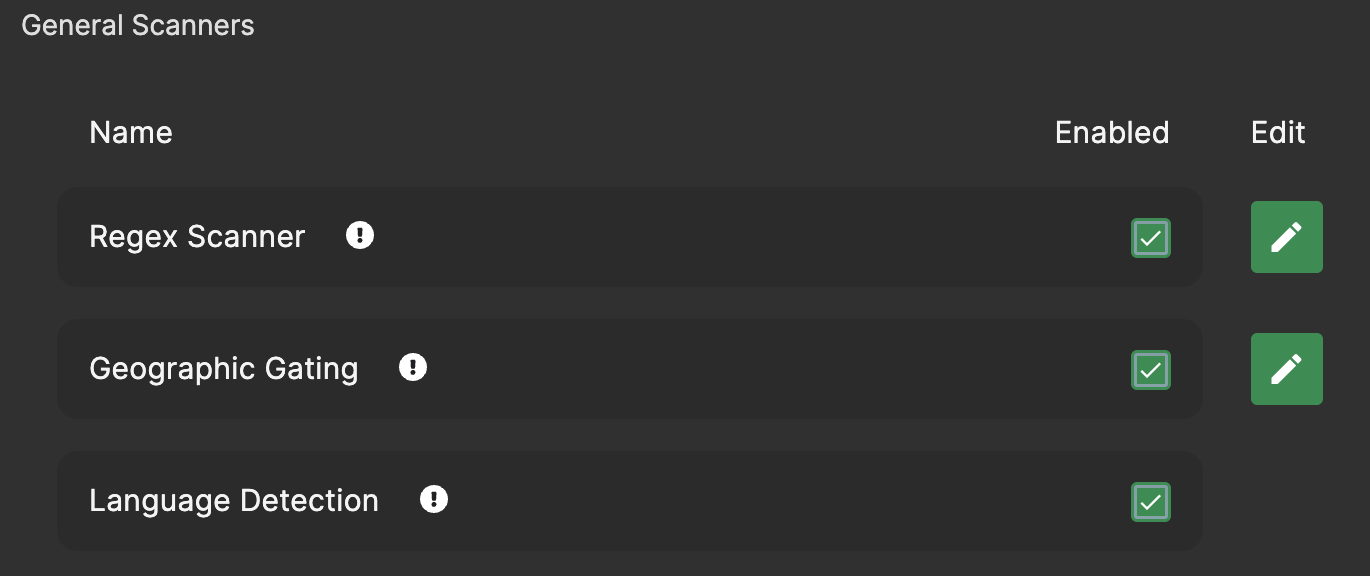
1. [**Regex Scanner**](https://docs.aicrisk.com/admin/agent-scanner-defaults/regex-scanner)
   * *Description:* The Regex Scanner utilizes regular expressions to identify and extract patterns or specific information from user input or generated responses.
   * *Usage:* By defining custom patterns or rules, the Regex Scanner enables users to extract relevant data or trigger specific actions based on predefined criteria.

     <figure><img src="https://2455207419-files.gitbook.io/~/files/v0/b/gitbook-x-prod.appspot.com/o/spaces%2FnZwCwAN15BUJcXMA5avi%2Fuploads%2FGnRyLJiltw0fafMXYTOL%2Fimage.png?alt=media&#x26;token=e75ab1b6-55e4-4442-afbf-5e6b5564e566" alt=""><figcaption></figcaption></figure>
2. [**Geographic Gating**](https://docs.aicrisk.com/admin/agent-scanner-defaults/geographic-gating)
   * *Description:* Geographic Gating restricts access or modifies agent behavior based on the user's geographic location or specified regions.
   * *Usage:* By applying geographical filters, users can tailor the agent's responses or restrict access to certain features or content based on user location.

     <figure><img src="https://2455207419-files.gitbook.io/~/files/v0/b/gitbook-x-prod.appspot.com/o/spaces%2FnZwCwAN15BUJcXMA5avi%2Fuploads%2FM9YkCOYkN9JfsyJMObYm%2Fimage.png?alt=media&#x26;token=26fb7aac-a199-4ca7-985e-e1f38f9a0563" alt=""><figcaption></figcaption></figure>
3. [**Language Detection**](https://docs.aicrisk.com/admin/agent-scanner-defaults/language-detection)
   * *Description:* Language Detection identifies the language used in user input or generated responses, enabling multilingual support and language-specific processing.
   * *Usage:* By detecting the language of incoming messages, the Language Detection Scanner enables the agent to provide appropriate responses and language-specific services.

     <figure><img src="https://2455207419-files.gitbook.io/~/files/v0/b/gitbook-x-prod.appspot.com/o/spaces%2FnZwCwAN15BUJcXMA5avi%2Fuploads%2FoWbgyzuMzB7gX4iJ7s82%2Fimage.png?alt=media&#x26;token=33f99ba8-5592-414a-bdfd-96d4d137a3b8" alt=""><figcaption></figcaption></figure>


---

# Agent Instructions: Querying This Documentation

If you need additional information that is not directly available in this page, you can query the documentation dynamically by asking a question.

Perform an HTTP GET request on the current page URL with the `ask` query parameter:

```
GET https://docs.aicrisk.com/admin/ai-agents/adding-a-new-agent/advanced-settings/scanners/general-scanners.md?ask=<question>
```

The question should be specific, self-contained, and written in natural language.
The response will contain a direct answer to the question and relevant excerpts and sources from the documentation.

Use this mechanism when the answer is not explicitly present in the current page, you need clarification or additional context, or you want to retrieve related documentation sections.

