> For the complete documentation index, see [llms.txt](https://docs.aicrisk.com/llms.txt). Markdown versions of documentation pages are available by appending `.md` to page URLs; this page is available as [Markdown](https://docs.aicrisk.com/admin/logs/interpreting-logs.md).
# Interpreting Logs
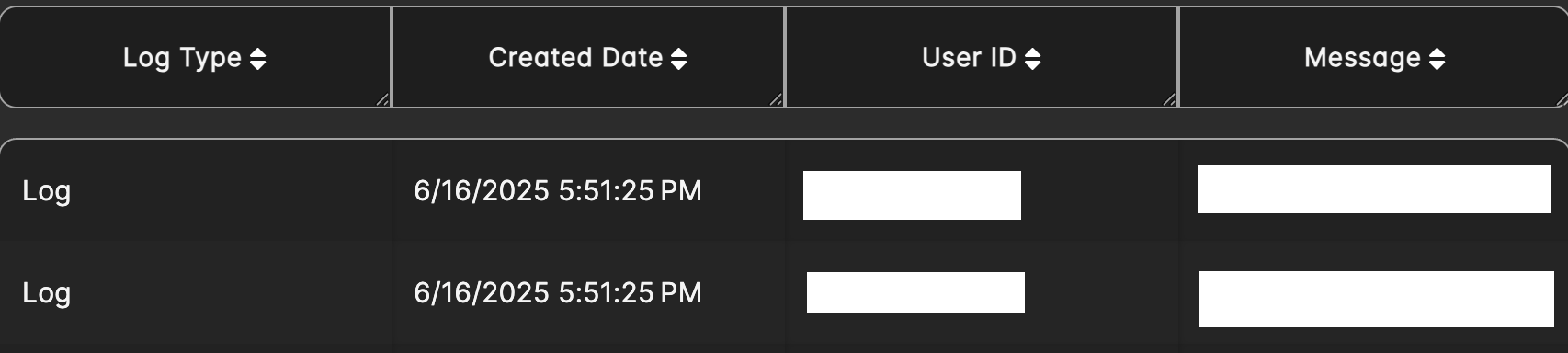
Once you've accessed the logs, you will see a list of entries containing information such as timestamps, user actions, and system events.
**Interpreting Logs:**
Each log entry typically includes the following details:
* **Timestamp:** Indicates when the event occurred.
* **User:** Identifies the user who initiated the action or event.
* **Action/Event Message:** Describes the action or event that took place.
**Common Use Cases for Viewing Logs:**
* **Troubleshooting:** Identify errors or issues within the system and trace their origins.
* **Auditing:** Track user actions and system events for compliance and accountability purposes.
* **Security Monitoring:** Detect and investigate suspicious activities or unauthorized access attempts.
* **Performance Monitoring:** Analyze system performance and identify areas for optimization.